useRefでmapで出力したオブジェクトを扱う
公開日:
タグ:
- #Next.js
- #React
useRef は 再レンダーを発生させずに値を保持できる React のフックです。
代表的な用途として DOM 要素への参照がありますが、DOM に限らず「状態として管理する必要はないが、レンダー間で保持したい値」を扱うために使われます。
.currentに値を保持できる.currentを更新しても再レンダーは起きない- DOM / タイマーID / 外部ライブラリのインスタンスなどに使われる
useRefでDOM要素を参照する時の例
useRef は、再レンダーを発生させずに DOM 要素へ直接アクセスしたい場合によく使われます。
例えば、特定のタイミングで input要素にフォーカスを当てたい時など。
'use client';

import { useRef } from 'react';
import styles from './page.module.scss';

export default function Fade() {
  const inputRef = useRef<HTMLInputElement | null>(null);

  return (
    <>
      <h2 className={styles.title}>Fade</h2>

      <input type="text" ref={inputRef} />
      <button type="button" onClick={() => inputRef.current?.focus()}>
        Focus Input
      </button>
    </>
  );
}
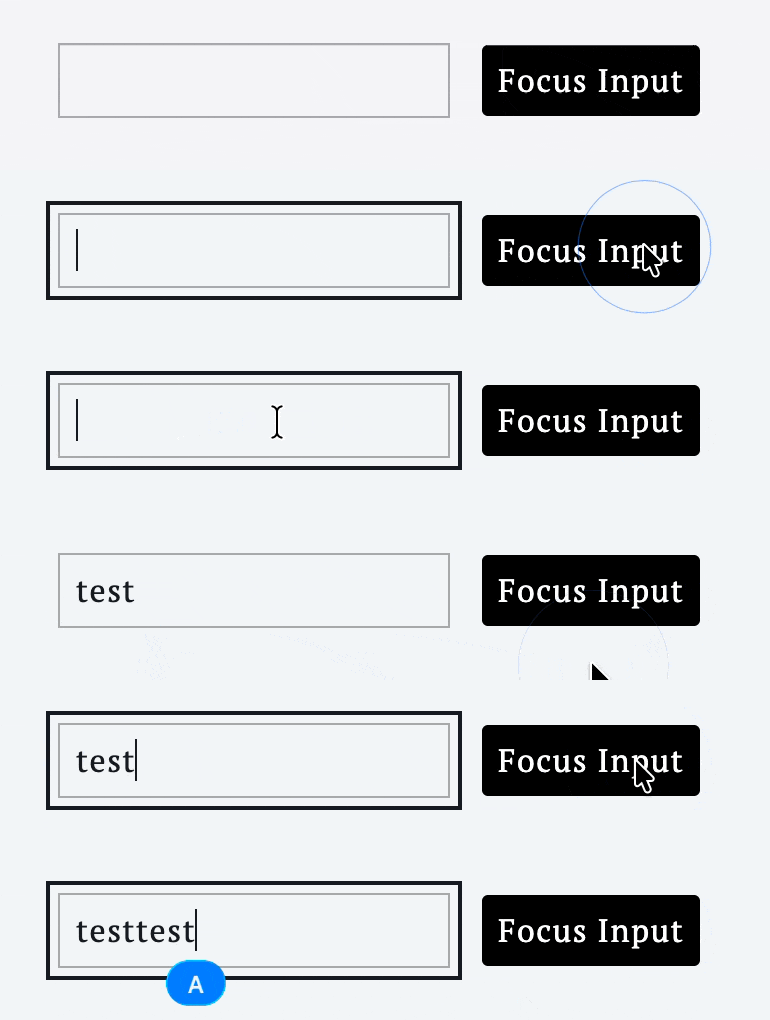
このようにすることで、コード内で document.querySelector('input') のような直接的なDOM操作をすることなく、Reactコンポーネント内で安全にDOMを操作できます。
mapでリピートしたDOMを扱いたい場合
では、配列で生成した要素に対してdocument.querySelectorAll() のように 複数の DOM をまとめて扱いたい場合はどうすればいいか。この場合も useRef を使えば対応できます。
まず、 useRef を使う際に値に配列を渡してあげる。
const sectionRef = useRef<(HTMLElement | null)[]>([]);次に、ref 属性に 関数 を渡して、map の index を使って配列に要素を格納します。
{DUMMY_DATA.map((data, index) => (
  <section
    key={index}
    ref={(el: HTMLElement | null) => {
      sectionRef.current[index] = el;
    }}
  >
    <h2 className={styles.title}>{data.title}</h2>
    <p>{data.description.text}</p>
  </section>
))}
refに関数を指定すると、そのDOM要素が引数として入ってくるのため、useRefの配列に入れてあげるだけでOK。
'use client';

import styles from './page.module.scss';
import { useRef } from 'react';

const DUMMY_DATA = [
  {
    title: 'Section 1',
    description: {
      text: 'This is section 1. ...',
    },
  },
  {
    title: 'Section 2',
    description: {
      text: 'This is section 2. ...',
    },
  },
  {
    title: 'Section 3',
    description: {
      text: 'This is section 3. ...',
    },
  },
];

export default function Home() {
  const sectionRef = useRef<(HTMLElement | null)[]>([]);

  const handleClick = (index: number) => {
    const section = sectionRef.current[index];
    if (section) {
      section.scrollIntoView({ behavior: 'smooth' });
    }
  };

  return (
    <>
      <ul className={styles.buttonList}>
        {DUMMY_DATA.map((data, index) => (
          <li key={index}>
            <button
              className={styles.button}
              type="button"
              onClick={() => handleClick(index)}
            >
              Move to {data.title}
            </button>
          </li>
        ))}
      </ul>
      {DUMMY_DATA.map((data, index) => (
        <section
          key={index}
          className={styles.section}
          ref={(el: HTMLElement | null) => {
            sectionRef.current[index] = el;
          }}
        >
          <h2 className={styles.title}>{data.title}</h2>
          <p>{data.description.text}</p>
        </section>
      ))}
    </>
  );
}
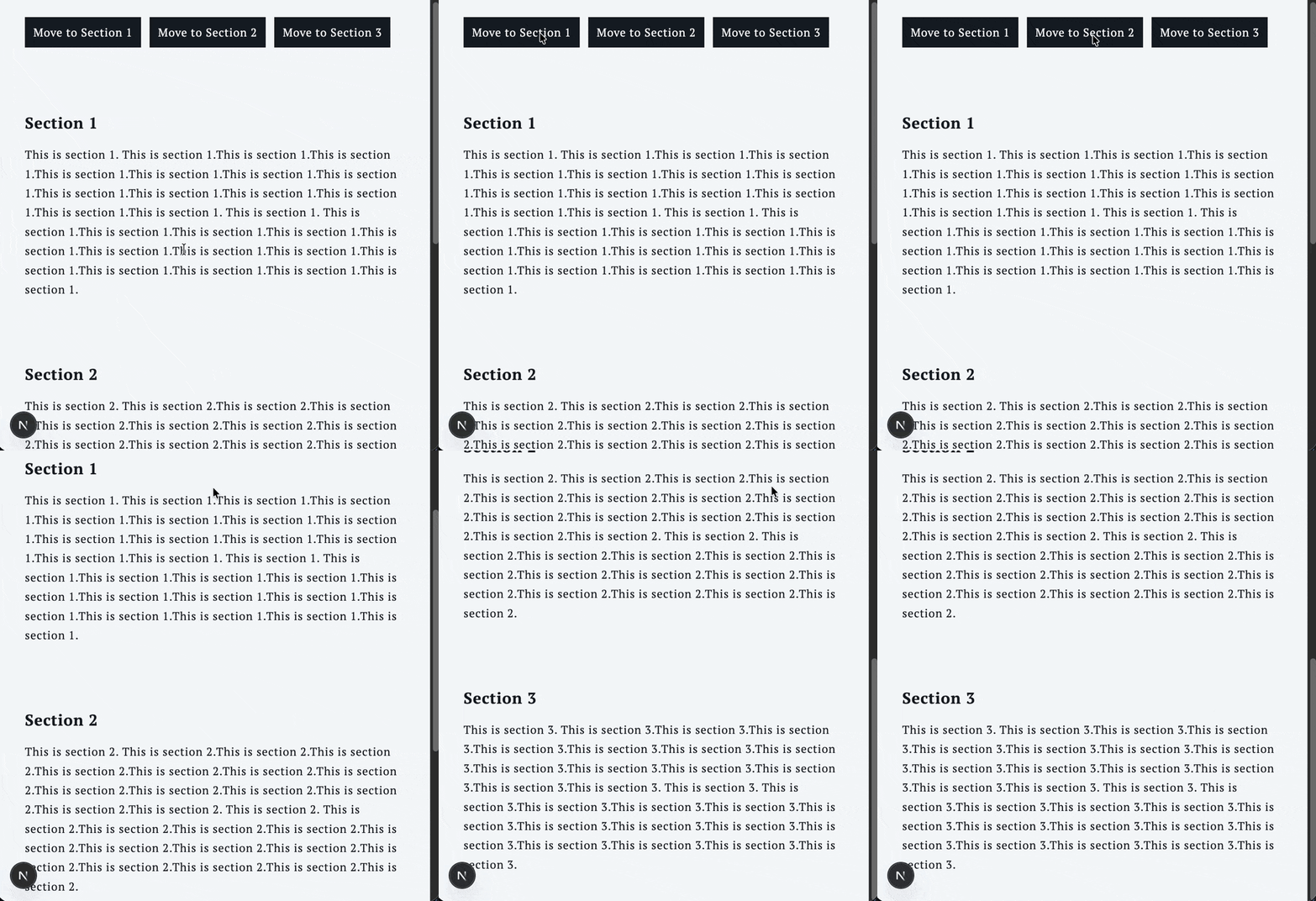
実際にこんな感じにすれば、mapでリピートしたDOMを簡単に操作することができます。
上記の実装では、並び順が変わらないことが前提で、 index 指定して配列に入れていますが、もし変更などがある際は、要素ごとに id を付与してオブジェクトで管理するほうが良さそうです。